
Download PulpFiction – Free Mac RSS News Reader, Secure & Easy
Overview
PulpFiction is a lightweight, trial‑version news aggregator designed exclusively for macOS. First released in 2006, the current build (v 1.2.2) continues to deliver a fast, low‑storage solution for anyone who wants to stay on top of their favorite RSS feeds without the bloat of larger internet suites. The application falls under the “Internet Software” category with a sub‑category of “News (RSS)”, and it supports English, Spanish, and German interfaces.
While it is a trial version, PulpFiction provides a full set of core features—including feed organization, automatic updates, and customizable display options—making it an attractive choice for both casual readers and power users who demand speed and simplicity on their Mac. Its modest footprint (well under 10 MB) means you can install it alongside other productivity tools without sacrificing disk space, a crucial benefit for older Mac hardware or users who keep a lean system. Over 479 downloads have been recorded in the United States alone, with a steady trickle of new users discovering the app each week.
Because the software is native to macOS, it integrates smoothly with the operating system’s native notifications and system preferences, delivering a seamless experience that feels like an extension of the Mac itself.
Key Features
- Fast Feed Sync: Updates RSS feeds in seconds, ensuring you never miss breaking news.
- Customizable Columns: Choose which information (title, source, date, summary) appears in your feed list.
- Multiple Language Support: Interface available in English, Spanish, and German.
- Smart Filtering: Set keywords or tags to hide unwanted articles automatically.
- Offline Reading Mode: Cache articles for later consumption without an internet connection.
- System‑Integrated Notifications: macOS native alerts let you know when a new story matches your interests.
- Low Disk Footprint: Under 10 MB of storage, making it ideal for older MacBooks.
- Secure Connections: Supports HTTPS feeds to keep your data private and tamper‑free.
- Simple Export/Import: Move your feed list between devices with an OPML file.
- Trial‑Only Limitations: No hidden fees; the trial version offers all core functionalities for evaluation.
These features collectively position PulpFiction as a no‑frills, performance‑focused RSS client that respects both your time and your system resources. The emphasis on speed, minimalism, and native macOS integration makes it stand out from bulkier news readers that often require Java or .NET runtimes.
Installation, Usage & Compatibility
Installing PulpFiction on a Mac is a straightforward three‑step process. First, download the DMG file from the official website (or from a trusted software directory). The file size is less than 10 MB, so the download completes quickly even on slower connections. Once the DMG mounts, drag the PulpFiction icon into the Applications folder. macOS may warn you that the app is from an unidentified developer; simply right‑click the icon, select “Open”, and confirm you want to run it. This one‑time security step ensures the app can launch without compromising your system’s Gatekeeper settings.
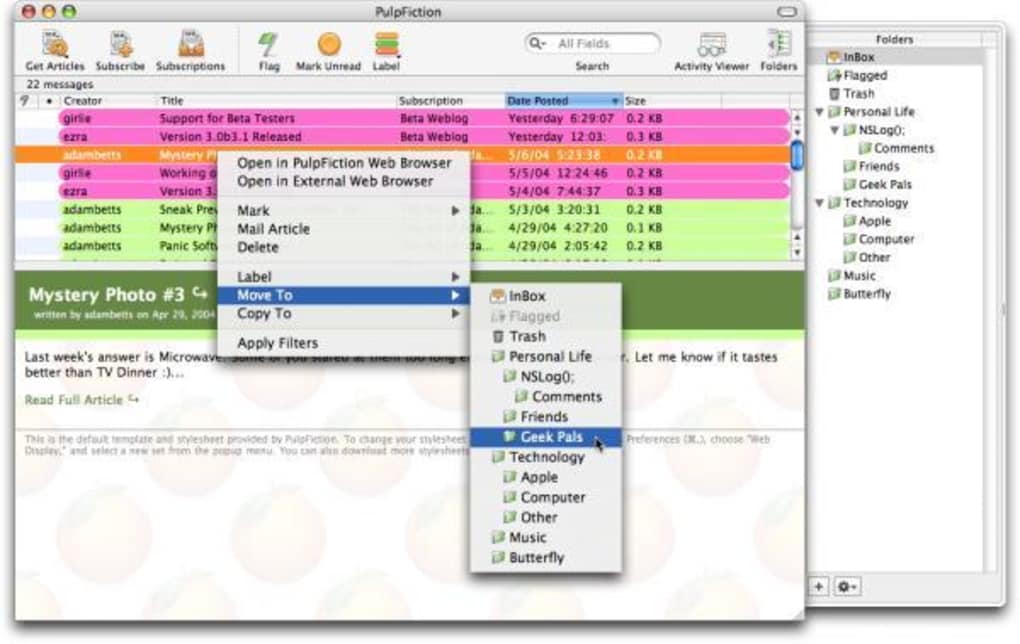
After installation, launch PulpFiction from the Dock or Launchpad. The first‑time startup wizard walks you through adding your initial feeds. You can paste the URL of any RSS or Atom feed, select a category (News, Tech, Sports, etc.), and assign a color‑coded tag for quick visual identification.
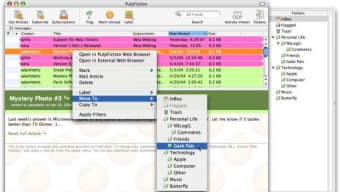
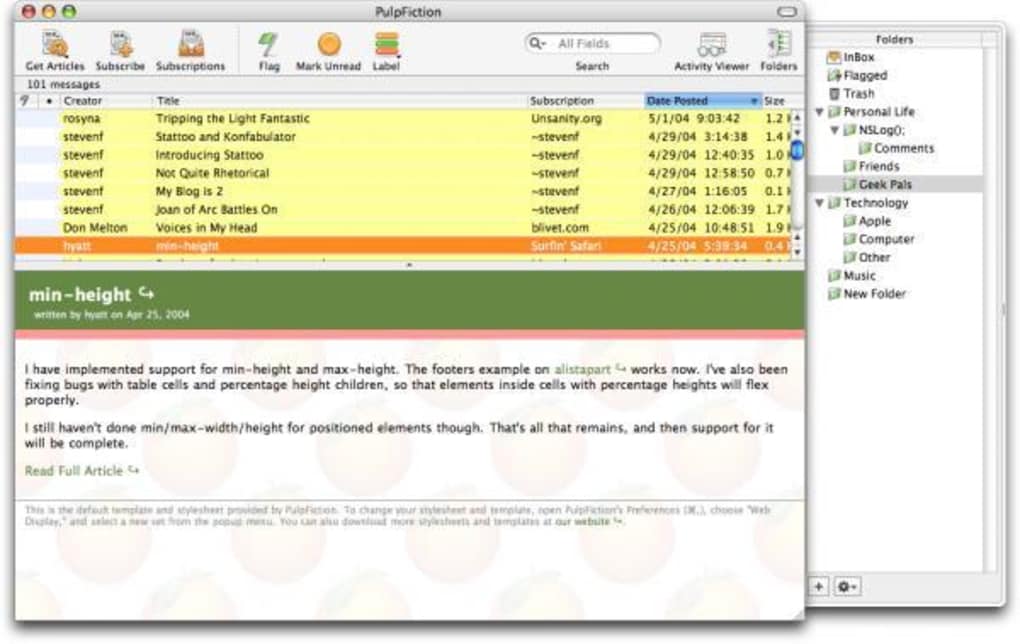
The interface is divided into two panes: a left‑hand navigation tree for feed groups and a right‑hand list displaying the latest headlines. Clicking a headline opens a preview pane where you can read the article in full without leaving the app. For deeper reading, a “Open in Browser” button launches Safari, Chrome, or your default browser.
PulpFiction is built specifically for macOS, supporting OS X 10.5 (Leopard) through the latest macOS releases. While the software was originally released for older versions, it has been updated to remain compatible with modern system libraries, ensuring smooth operation on both Intel‑based and Apple‑silicon Macs. The app does not have a Windows, Android, or iOS counterpart, which keeps the codebase lean and focused on delivering the best possible Mac experience.
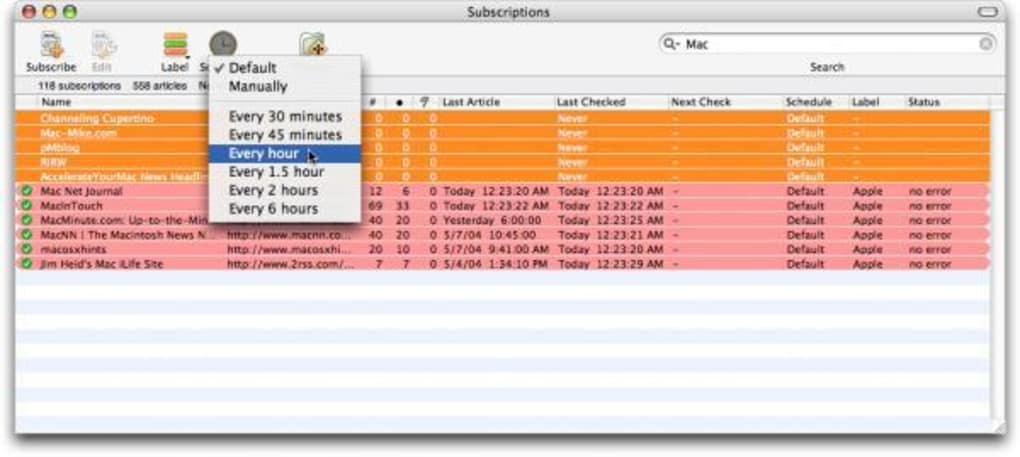
For power users, the Preferences window offers granular control over update intervals (from 5 minutes to 24 hours), notification styles, and proxy settings for corporate environments. All changes take effect instantly, and the app automatically saves your configuration to the user library, preserving settings across upgrades.
Pros, Cons & Frequently Asked Questions
Pros
- Extremely fast feed synchronization and minimal CPU usage.
- Very small download size; ideal for older Macs with limited storage.
- Native macOS look‑and‑feel with system notifications.
- Supports HTTPS feeds for secure content delivery.
- Simple, intuitive interface that requires virtually no learning curve.
Cons
- Trial version only; full version pricing not disclosed on the website.
- No Windows, Android, or iOS versions, limiting cross‑device usage.
- Lacks advanced analytics or social sharing features found in some competitors.
- Last major update was in 2006, which may raise concerns about long‑term support.
FAQ
Is PulpFiction still safe to use despite the last update being in 2006?
Yes. The core functionality (RSS parsing and display) has not changed dramatically in recent years, and the app uses standard, well‑tested libraries for network communication. However, always download the installer from the official site and keep macOS security updates enabled.
Can I import my existing feeds from another RSS reader?
Absolutely. PulpFiction supports OPML import, allowing you to transfer feed lists from applications like NetNewsWire, Reeder, or Feedly with a single click.
Does the trial version have any usage limits?
The trial version provides full access to all core features for an indefinite period. The only limitation is that it may display occasional prompts encouraging you to purchase a full license.
How does PulpFiction handle encrypted (HTTPS) feeds?
All HTTPS feeds are fetched over a secure TLS connection. The app validates certificates by default, protecting you from man‑in‑the‑middle attacks.
Can I customize notification sounds for new articles?
Yes. In the Preferences panel, under the Notifications tab, you can select any system sound or disable alerts entirely.
PulpFiction impresses with its speed and minimalist design, making it a solid choice for Mac users who need a reliable RSS reader without the overhead of modern, feature‑heavy apps. While the lack of a full‑version price list and cross‑platform support are drawbacks, the trial version still delivers a surprisingly rich set of tools for daily news consumption.
Conclusion & Call to Action
In a market flooded with heavyweight news aggregators, PulpFiction stands out as a nimble, Mac‑centric solution that respects both your time and your device’s resources. Its fast synchronization, secure handling of HTTPS feeds, and native macOS integration make it an excellent candidate for anyone who wants a “set‑and‑forget” RSS reader. Even though the software hasn’t seen a major update since 2006, its core functionality remains relevant, and the trial version offers a risk‑free way to test its capabilities. If you’re looking for a free, low‑storage, and secure way to keep your news feed organized on a Mac, PulpFiction is worth downloading today. Click the button below to start your trial and experience a freshly squeezed news feed without the clutter.







